-
E-mail
2881392112@qq.com
-
Phone
18761595061
-
Address
No. 5, ASEAN Road, Nanzha Street, Jiangyin City, Jiangsu Province
Product Categories
Jiangsu Ankerui Electric Appliance Manufacturing Co., Ltd
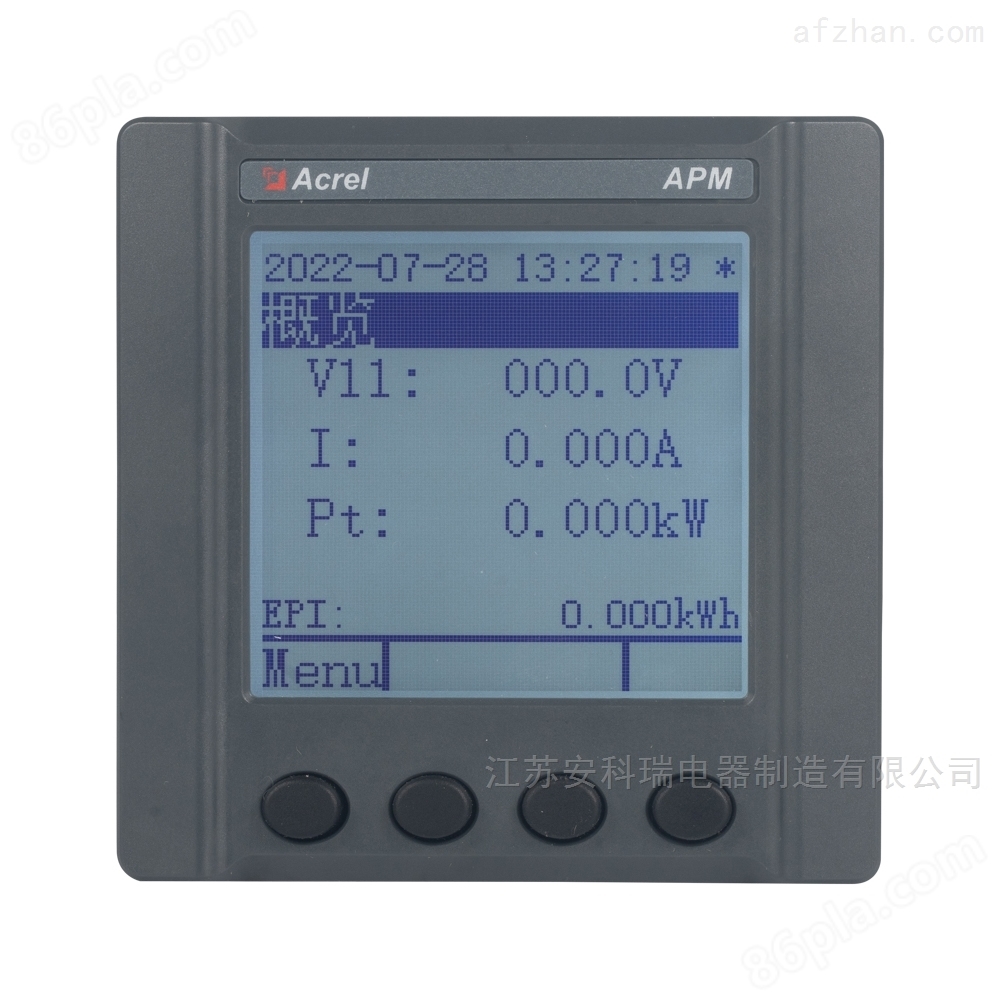
How much does the domestic 5G base station energy meter cost
NegotiableUpdate on 01/17
- Model
- Nature of the Manufacturer
- Producers
- Product Category
- Place of Origin
Overview
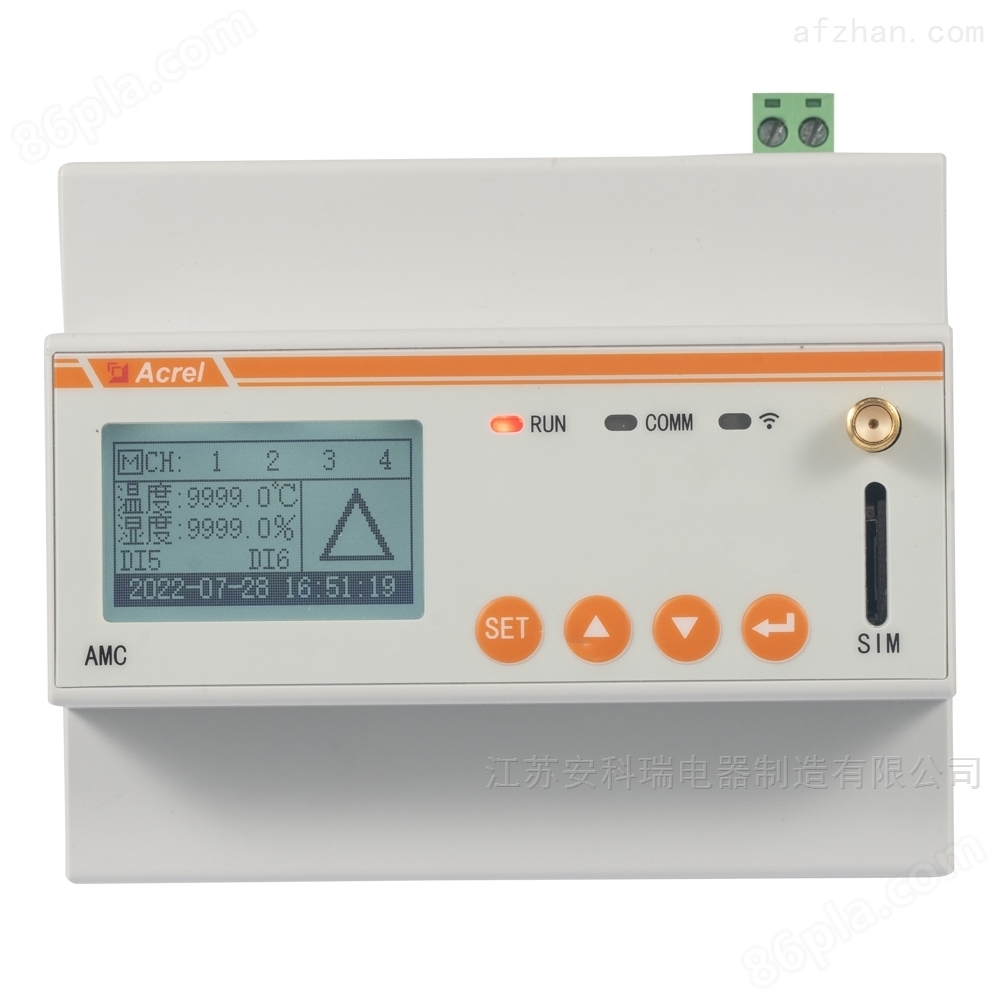
Ankerui base station AC multi circuit metering embedded meter is mainly used for full electrical parameter measurement of multiple circuits, and can simultaneously connect up to 6 three-phase circuits or 18 single-phase circuits for current input.
Product Details
Ankrui Chen Cong
1.Ankerui base station AC multi loop metering embedded meterOverview
The AMC300L AC multi circuit intelligent power acquisition and monitoring device is mainly used for measuring the full electrical parameters of multiple circuits, and can simultaneously connect up to 6 three-phase circuits
The current input of the circuit or 18 single-phase circuits. It can measure parameters such as voltage, current, power, and power factor.
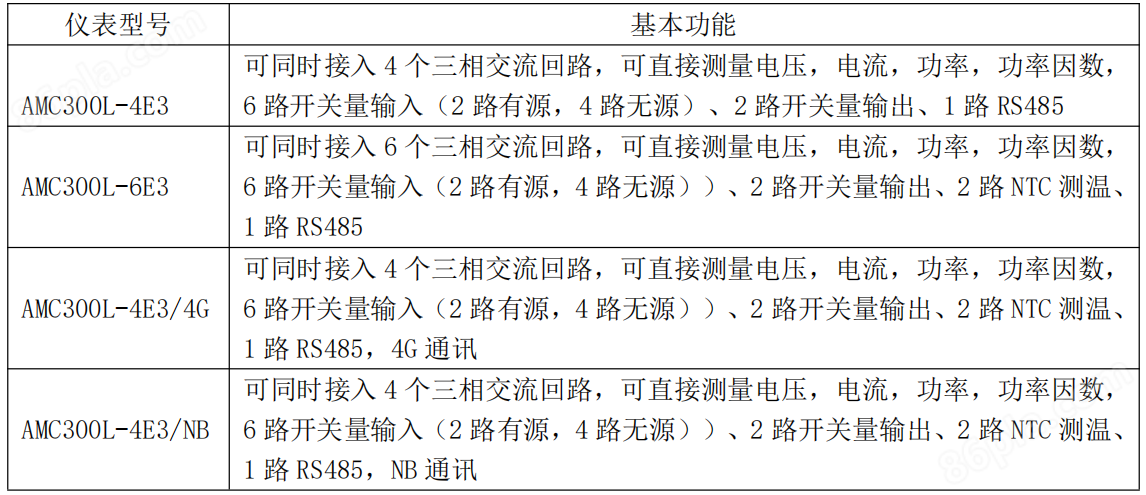
2.Ankerui base station AC multi loop metering embedded meterFunction and Model
3. Supporting transformers
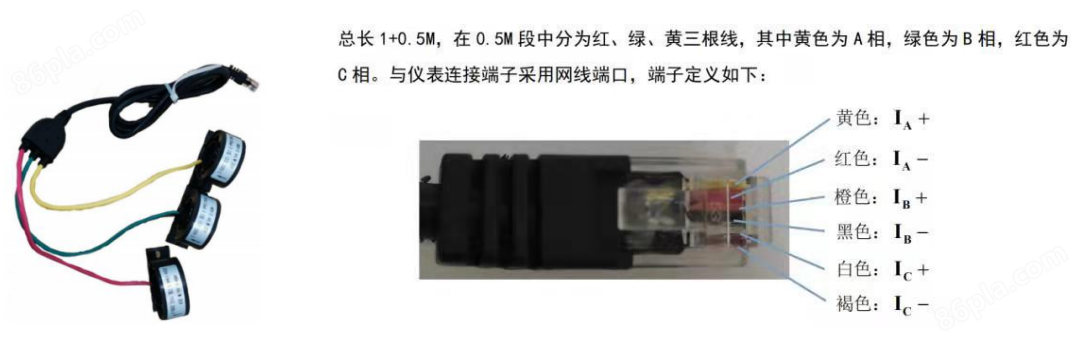
The current transformer is a crystal head interface, and the primary side current is100A-600ASecondary side output current50mAIf the current transformers are different, customers canAccording to actual usage, modify the current ratio through the instrument interface or communication.
4. Installation dimensions and methods
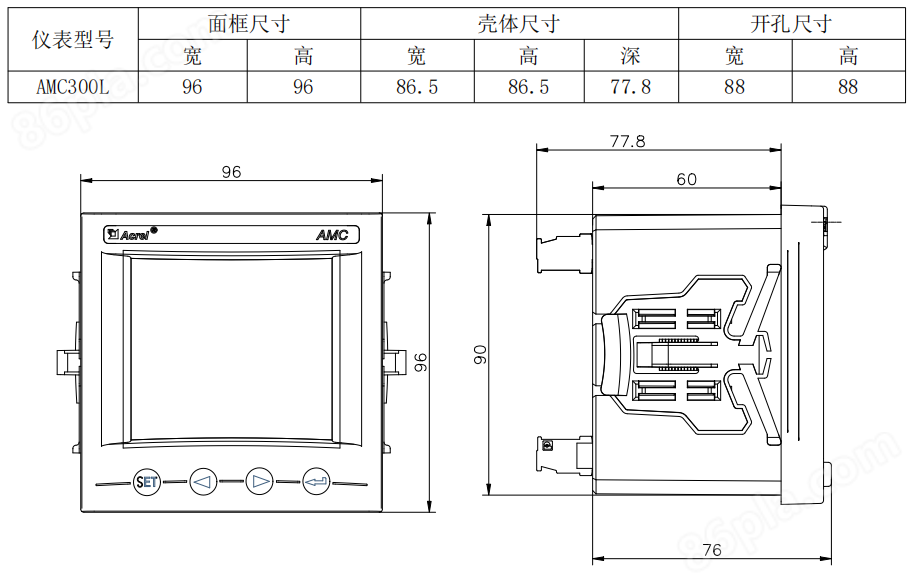
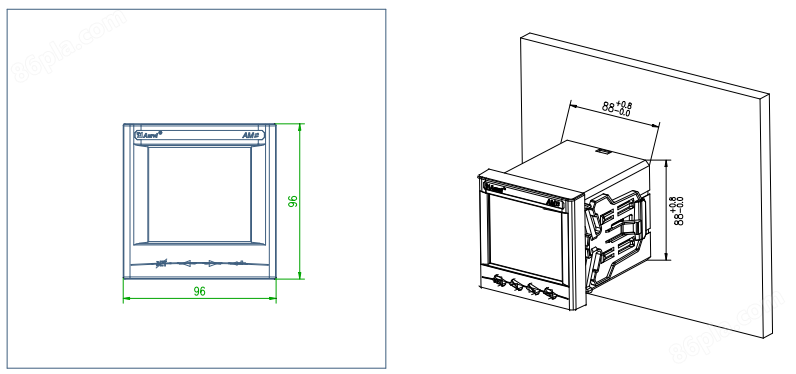
1) Opening holes in fixed distribution cabinets;
2) Take out the instrument panel and remove the buckle;
3) The instrument is installed into the mounting hole from the front;
4) Insert the instrument buckle and secure the instrument.
5. Startup operation and instructions
SET key
In measurement mode, press this key to enter parameter setting mode, and the instrument prompts for password PASS. Enter the correct password(After 0001, the instrument parameters can be set;
In parameter mode, pressing this key to save or not to save data can be used to return to the higher-level menu;
left button
In measurement mode, used to switch display items;
In parameter setting mode, it is used for selecting menu items and switching the number of parameters
right-click
In measurement mode, used to switch display items;
In parameter setting mode, it is used for selecting menu items and increasing the numerical values of each digit.
Enter key
In measurement mode, used for parameter viewing;
In parameter setting mode, it is used to confirm the selection of menu items and the modification of parameters.
After power on, the startup interface displays as an AC multi loop intelligent power collection and monitoring device; After waiting for 2 seconds on the startup interface, it automatically enters the base of the circuitThis parameter display interface: (1) Press the SET key to enter the password interface, right-click to enter the password "0001", and press Enter to enter the parameter setting interfacePress the SET key to enter the data saving interface, and use the left and right keys to switch the cursor and select whether to save or not; (2) Left click to enterDisplay interface for total active power parameters; (3) Right click to enter the parameter display interface of total active energy; (4) Press Enter to enter the main interface.
Similar Product Recommend