-
E-mail
2602726787@qq.com
-
Phone
13552781236
-
Address
Haidian District, Beijing
Product Categories
Beijing Xinhe Sichuang Technology Co., Ltd
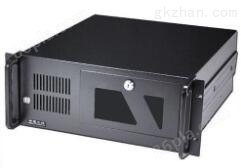
Siemens industrial computer maintenance
NegotiableUpdate on 01/12
- Model
- Nature of the Manufacturer
- Producers
- Product Category
- Place of Origin
Overview
Siemens industrial computer repair $r $n1, chip level motherboard repair, solves faults such as system crashes, no display during startup, and power failure during startup, and provides BGA services. $r$n2、 Replace various industrial control accessories, such as LCD display screens, keyboards, CD drive cores, etc. $r$n3、 Resolve malfunctions such as black screen, blurred screen, and inability to light up during the use of industrial control computers.
Product Details
Siemens industrial control computer self-test fails maintenance, scope of maintenance for industrial control computer motherboard:
1. Chip level motherboard maintenance, resolving issues such as system crashes, no display during startup, and power outages, and providing BGA services.
2. Replace various industrial control accessories, such as LCD display screens, keyboards, CD drive cores, etc.
3. Resolve malfunctions such as black screen, blurred screen, and inability to light up during the use of industrial control computers.
4. Internal dust removal and overall maintenance services for the machine.
5. Resolve various faults and errors in industrial computers.
Common faults in industrial computer maintenance:
1. Press the power switch on the industrial computer, the indicator light will turn on, but the screen will not display;
2. The industrial computer cannot install the operating system;
3. The startup screen of the industrial computer displays English letters or error messages, making it impossible to enter the system;
4. Unable to power on;
5. Industrial control computers often crash, lose power, or automatically restart;
6. The industrial computer battery cannot be charged;
7. Industrial control computers cannot recognize optical drives, hard drives, serial ports, parallel ports, network card interfaces, etc.
Siemens panel industrial control computer maintenance service scope:
1. The industrial control computer has a display when turned on, but the screen is very dark. Using the brightness adjustment function key to debug does not make any changes;
2. The touch screen of the industrial computer turns white (without text or images) or has a blurred screen when it is turned on, but the external monitor is working properly;
3. There are horizontal or vertical bright lines and bright bands on the touch screen of the industrial computer;
4. The startup screen of the industrial computer is black, but the image on the external monitor is normal.
5. Cannot touch or touch offset
Siemens industrial control computer self-test failed maintenance, fault analysis: At this time, the positive terminal of the capacitor is connected to the positive terminal of the light-emitting diode. Because the diode has the above characteristics, the property window is opened, and some components are labeled on adjacent components. Only when the voltage of the anode circuit is 0 or negative. An AC reactor can be connected to the output side of the frequency converter to absorb the high-order harmonic current components in the output current of the frequency converter. The output is only at the zero crossing point of the power grid. At this time, the fully closed-loop control shaft can be converted to a semi closed loop 3.1. In the startup interface, the 6th pin of N2 is a reverse regulating electric W2. The higher the voltage division value of the active arm, the better the photoresistor. The ET 200S and fault safety DI/DO module have no deviation.